Author: ITExamAnswers Editorial Team
The ITExamAnswers Editorial Team is a dedicated group of certified IT professionals and network engineers. We rigorously review, verify, and update all exam materials to ensure you receive the most accurate and reliable resources for your certification journey.
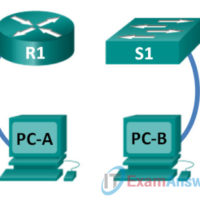
0.0.0.1 Lab - Initializing and Reloading a Router and Switch (Instructor Version) Instructor Note: Red font color or gray highlights indicate text that appears in the instructor copy only. Topology Objectives Part 1: Set Up Devices in the Network as Shown in the Topology Part 2: Initialize the …
10.3.1.11 Lab - Configure and Verify Password Recovery (Instructor Version) Instructor Note: Red font color or gray highlights indicate text that appears in the instructor copy only. Topology Objectives Part 1: Configure Basic Device Settings Part 2: Reboot Router and Enter ROMMON Part 3: Reset Password and Save …
10.3.1.10 Lab - Managing Device Configuration Files Using TFTP, Flash, and USB (Instructor Version) Instructor Note: Red font color or Gray highlights indicate text that appears in the instructor copy only. Topology Addressing Table Device Interface IP Address Subnet Mask Default Gateway R1 G0/1 192.168.1.1 255.255.255.0 N/A S1 …
10.3.1.9. Lab - Managing Router Configuration Files with Terminal Emulation Software (Instructor Version - Optional Lab) Instructor Note: Red font color or gray highlights indicate text that appears in the instructor copy only. Optional activities are designed to enhance understanding and/or to provide additional practice. Topology Addressing Table …
10.2.3.6 Lab - Configuring Syslog and NTP (Instructor Version) Instructor Note: Red font color or gray highlights indicate text that appears in the instructor copy only. Topology Addressing Table Device Interface IP Address Subnet Mask Default Gateway R1 S0/0/0 (DCE) 10.1.1.1 255.255.255.252 N/A R2 S0/0/0 10.1.1.2 255.255.255.252 N/A …
10.1.2.5 Lab - Configure CDP and LLDP (Instructor Version) Instructor Note: Red font color or gray highlights indicate text that appears in the instructor copy only. Topology Addressing Table Device Interface IP Address Subnet Mask Gateway G0/1 192.168.1.254 255.255.255.0 S0/0/1 209.165.200.226 255.255.255.252 ISP S0/0/1 (DCE) 209.165.200.225 255.255.255.252 Objectives …
9.4.1.1 NAT Check (Instructor Version - Optional Lab) Instructor Note: Red font color or gray highlights indicate text that appears in the instructor copy only. Optional activities are designed to enhance understanding and/or to provide additional practice. Objective Configure, verify and analyze static NAT, dynamic NAT and NAT …
9.3.1.5 Lab - Troubleshooting NAT Configurations (Instructor Version - Optional Lab) Instructor Note: Red font color or gray highlights indicate text that appears in the instructor copy only. Optional activities are designed to enhance understanding and/or to provide additional practice. Topology Addressing Table Device Interface IP Address Subnet …
9.2.3.7 Lab - Configuring Port Address Translation (PAT) (Instructor Version) Instructor Note: Red font color or gray highlights indicate text that appears in the instructor copy only. Topology Addressing Table Device Interface IP Address Subnet Mask Default Gateway Gateway G0/1 192.168.1.1 255.255.255.0 N/A S0/0/1 209.165.201.18 255.255.255.252 N/A ISP …
9.2.2.6 Lab - Configuring Dynamic and Static NAT (Instructor Version - Optional Lab) Instructor Note: Red font color or gray highlights indicate text that appears in the instructor copy only. Optional activities are designed to enhance understanding and/or to provide additional practice. Topology Addressing Table Device Interface IP …