Tag: Network Security
5.5.2 Packet Tracer - Configure and Verify Extended IPv4 ACLs - Physical Mode Answers Topology Addressing Table Device Interface IP Address Subnet Mask Default Gateway R1 G0/0/1 N/A N/A N/A G0/0/1.20 10.20.0.1 255.255.255.0 G0/0/1.30 10.30.0.1 255.255.255.0 G0/0/1.40 10.40.0.1 255.255.255.0 G0/0/1.1000 N/A N/A G0/0/0 172.16.1.1 255.255.255.0 R2 G0/0/1 10.20.0.4 …
3.11.1 Packet Tracer - Network Security Exploration - Physical Mode Answers Objectives Part 1: Explore the Networks Part 2: Implement Security Measures Background / Scenario In this Packet Tracer Physical Mode (PTPM) activity, you will explore and implement several security procedures in different locations within the city of …
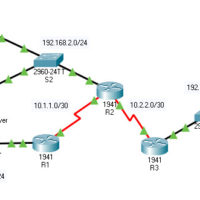
21.7.5 Packet Tracer - Configure ASA Basic Settings and Firewall Using the CLI Answers version Topology Addressing Table Device Interface IP Address Subnet Mask Default Gateway R1 G0/0 209.165.200.225 255.255.255.248 N/A S0/0/0 (DCE) 10.1.1.1 255.255.255.252 R2 S0/0/0 10.1.1.2 255.255.255.252 N/A S0/0/1 (DCE) 10.2.2.2 255.255.255.252 R3 G0/1 172.16.3.1 255.255.255.0 …
10.3.11 Packet Tracer - Configure a ZPF Answers Version Topology Addressing Table Device Interface IP Address Subnet Mask Default Gateway Switch Port R1 G0/1 192.168.1.1 255.255.255.0 N/A S1 F0/5 S0/0/0 (DCE) 10.1.1.1 255.255.255.252 N/A N/A R2 S0/0/0 10.1.1.2 255.255.255.252 N/A N/A S0/0/1 (DCE) 10.2.2.2 255.255.255.252 N/A N/A R3 …
8.6.5 Packet Tracer - Configure IP ACLs to Mitigate Attacks Answers Version Topology Addressing Table Device Interface IP Address Subnet Mask Default Gateway Switch Port R1 G0/1 192.168.1.1 255.255.255.0 N/A S1 F0/5 S0/0/0 (DCE) 10.1.1.1 255.255.255.252 N/A R2 S0/0/0 10.1.1.2 255.255.255.252 N/A N/A S0/0/1 (DCE) 10.2.2.2 255.255.255.252 G0/0 …
7.4.9 Packet Tracer - Configure Server-based AAA with TACACS and RADIUS Answers Version Topology Addressing Table Device Interface IP Address Subnet Mask Default Gateway Switch Port R1 G0/1 192.168.1.1 255.255.255.0 N/A S1 F0/1 S0/0/0 (DCE) 10.1.1.2 255.255.255.252 N/A N/A R2 G0/0 192.168.2.1 255.255.255.0 N/A S2 F0/2 S0/0/0 10.1.1.1 …
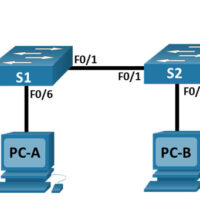
Lab - Configure and Verify Extended IPv4 ACLs (Instructor Version) Topology Addressing Table Device Interface IP Address Subnet Mask Default Gateway R1 G0/0/1 N/A N/A N/A G0/0/1.20 10.20.0.1 255.255.255.0 G0/0/1.30 10.30.0.1 255.255.255.0 G0/0/1.40 10.40.0.1 255.255.255.0 G0/0/1.1000 N/A N/A Loopback1 172.16.1.1 255.255.255.0 R2 G0/0/1 10.20.0.4 255.255.255.0 N/A S1 VLAN …
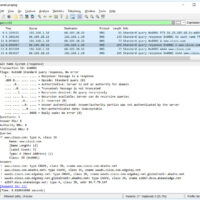
Lab – Explore DNS Traffic (Instructor Version) Objectives Part 1: Capture DNS Traffic Part 2: Explore DNS Query Traffic Part 3: Explore DNS Response Traffic Background / Scenario Wireshark is an open source packet capture and analysis tool. Wireshark gives a detailed breakdown of the network protocol stack. …
Lab - Social Engineering (Instructor Version) Objective In this lab, you will research examples of social engineering and identify ways to recognize and prevent it. Resources Computer with internet Access Instructions Step 1: Research Social Engineering Examples Social engineering, as it relates to information security, is used to …
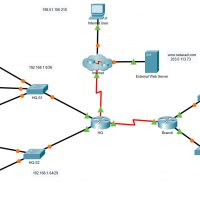
5.5.1 Packet Tracer - IPv4 ACL Implementation Challenge (Instructor Version) Instructor Note: Red font color or gray highlights indicate text that appears in the instructor copy only. Addressing Table Device Interface IP Address HQ G0/0/0 192.168.1.1/26 G0/0/1 192.168.1.65/29 S0/1/0 192.0.2.1/30 S0/1/1 192.168.3.1/30 Branch G0/0/0 192.168.2.1/27 G0/0/1 192.168.2.33/28 S0/1/1 …