Author: ITExamAnswers Editorial Team
The ITExamAnswers Editorial Team is a dedicated group of certified IT professionals and network engineers. We rigorously review, verify, and update all exam materials to ensure you receive the most accurate and reliable resources for your certification journey.
1.1.1.2 Lab - How Connected are You? Answers Objectives Survey 3 or 4 people: family, colleagues, and friends. Determine how many hours they are "connected" via any device during each day. Background / Scenario It is important to understand that most people born in the 1990s, will have …
10.6.13 Packet Tracer - Research and Execute Password Recovery Procedures - Physical Mode Answers Objectives Part 1: Research the Configuration Register Part 2: Document the Password Recovery Procedure for a Specific Cisco Router Background / Scenario The purpose of this activity is to research the procedure for recovering …
10.6.12 Packet Tracer - Use TFTP and Flash to Manage Configuration Files - Physical Mode Answers Topology Addressing Table Device Interface IP Address Subnet Mask Default Gateway R1 G0/0/1 192.168.1.1 255.255.255.0 N/A S1 VLAN 1 192.168.1.11 255.255.255.0 192.168.1.1 Server1 F0 192.168.1.3 255.255.255.0 192.168.1.1 Objectives Part 1: Cable the …
5.5.2 Packet Tracer - Configure and Verify Extended IPv4 ACLs - Physical Mode Answers Topology Addressing Table Device Interface IP Address Subnet Mask Default Gateway R1 G0/0/1 N/A N/A N/A G0/0/1.20 10.20.0.1 255.255.255.0 G0/0/1.30 10.30.0.1 255.255.255.0 G0/0/1.40 10.40.0.1 255.255.255.0 G0/0/1.1000 N/A N/A G0/0/0 172.16.1.1 255.255.255.0 R2 G0/0/1 10.20.0.4 …
3.11.1 Packet Tracer - Network Security Exploration - Physical Mode Answers Objectives Part 1: Explore the Networks Part 2: Implement Security Measures Background / Scenario In this Packet Tracer Physical Mode (PTPM) activity, you will explore and implement several security procedures in different locations within the city of …
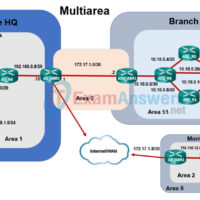
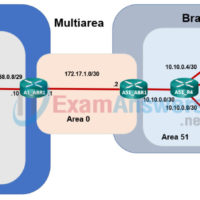
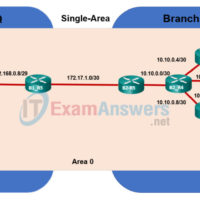
2.7.3 Packet Tracer - OSPF Multiarea Exploration - Physical Mode (Part 3) Answers Objectives Part 1: Evaluate Network Operation of Single Area OSPF Part 2: Evaluate Network Operation of Multiarea OSPF Part 3: Configure a New Area and Attach to Area 0 Through the Internet Topology Background / …
2.7.3 Packet Tracer - OSPF Multiarea Exploration - Physical Mode (Part 2) Answers Objectives Part 1: Evaluate Network Operation of Single-Area OSPF Part 2: Evaluate Network Operation of Multiarea OSPF Part 3: Configure a New Area and Attach to Area 0 Through the Internet Topology Background / Scenario …
2.7.3 Packet Tracer - Multiarea OSPF Exploration - Physical Mode (Part 1) Answers Objectives Part 1: Evaluate Network Operation of Single-Area OSPF Part 2: Evaluate Network Operation of Multiarea OSPF Part 3: Configure a New Area and Attach to Area 0 Through the Internet Topology Background / Scenario …
2.7.2 Packet Tracer - Configure Single-Area OSPFv2 - Physical Mode Answers Topology Addressing Table Device Interface IP Address Subnet Mask Default Gateway R1 G0/0/1 10.53.0.1 255.255.255.0 n/a G0/0/0 172.16.1.1 255.255.255.0 n/a R2 G0/0/1 10.53.0.2 255.255.255.0 n/a G0/0/0 192.168.1.1 255.255.255.0 n/a Web Server F0 172.16.1.10 255.255.255.0 172.16.1.1 Laptop F0 …
16.3.2 Packet Tracer - Troubleshoot IPv4 and IPv6 Static and Default Routes - Physical Mode Answers Topology Addressing Table Device Interface IP Address / Prefix Default Gateway R1 G0/0/0 192.168.0.1/28 N/A 2001:db8:acad::1/64 G0/0 192.168.0.17/28 2001:db8:acad:16::1/64 G0/1 172.16.1.1/24 2001:db8:acad:171::1/64 G0/2 209.165.200.1/25 2001:db8:acad:209::1/64 R2 G0/0/0 192.168.0.14/28 N/A 2001:db8:acad::14/64 G0/0 192.168.0.30/28 …