Author: ITExamAnswers Editorial Team
The ITExamAnswers Editorial Team is a dedicated group of certified IT professionals and network engineers. We rigorously review, verify, and update all exam materials to ensure you receive the most accurate and reliable resources for your certification journey.
13.5.2 Packet Tracer - Wireless Technology Exploration- Physical Mode Answers Addressing Table Device Interface IP Address Subnet Mask Default Gateway Corporate Office Corporate Router G1/0 192.168.1.1 255.255.255.0 N/A G2/0 192.168.4.1 255.255.255.252 G3/0 192.168.3.1 255.255.255.252 Corporate Server Fa0 192.168.1.10 255.255.255.0 192.168.1.1 Corporate WLC G2 192.168.1.50 255.255.255.0 192.168.1.1 LAP-C1 to …
9.3.4 Packet Tracer - Data Center Exploration - Physical Mode Answers Objectives Part 1: Explore the Characteristics of a Small Data Center Part 2: Create a Plan for Expanding the Current Data Center Part 3: Configure the Data Center Devices to Expand the Data Center Capacity Background / …
3.4.6 Packet Tracer - Configure VLANs and Trunking - Physical Mode Answers Topology Addressing Table Device Interface IP Address Subnet Mask Default Gateway S1 VLAN 1 192.168.1.11 255.255.255.0 N/A S2 VLAN 1 192.168.1.12 255.255.255.0 N/A PC-A NIC 192.168.10.3 255.255.255.0 192.168.10.1 PC-B NIC 192.168.10.4 255.255.255.0 192.168.10.1 Objectives Part 1: …
1.6.2 Packet Tracer - Configure Basic Router Settings - Physical Mode Answers Topology Addressing Table Device Interface IP Address / Prefix Default Gateway R1 G0/0/0 192.168.0.1 /24 N/A 2001:db8:acad::1 /64 fe80::1 G0/0/1 192.168.1.1 /24 2001:db8:acad:1::1 /64 fe80::1 Loopback0 10.0.0.1 /24 2001:db8:acad:2::1 /64 fe80::1 PC-A NIC 192.168.1.10 /24 192.168.1.1 …
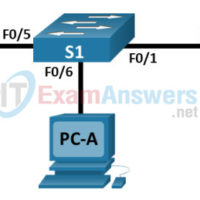
1.1.7 Packet Tracer - Basic Switch Configuration - Physical Mode Answers Topology Addressing Table Device Interface IP Address / Prefix S1 VLAN 99 192.168.1.2 /24 2001:db8:acad:1::2 /64 fe80::2 PC-A NIC 192.168.1.10 /24 2001:db8:acad:1::10 /64 Objectives Part 1: Cable the Network and Verify the Default Switch Configuration Part 2: …
4.4.9 Packet Tracer - Troubleshoot Inter-VLAN Routing – Physical Mode Answers Topology Addressing Table Device Interface IP Address Subnet Mask Default Gateway R1 G0/0/1.3 10.3.0.1 255.255.255.0 N/A G0/0/1.4 10.4.0.1 255.255.255.0 G0/0/1.13 10.13.0.1 255.255.255.0 S1 VLAN 3 10.3.0.11 255.255.255.0 10.3.0.1 S2 VLAN 3 10.3.0.12 255.255.255.0 10.3.0.1 PC-A NIC 10.4.0.50 …
20.7.1 Packet Tracer - Skills Integration Challenge Answers Addressing Table Device Interface IP Address Subnet Mask Default Gateway R1 G0/0/1 209.165.201.1 255.255.255.224 N/A S1 VLAN 1 209.165.201.2 255.255.255.224 N/A Server NIC 209.165.201.30 255.255.255.224 209.165.201.1 Objectives Configure IP addresses Set up wireless configuration in home network Verify connectivity Background …
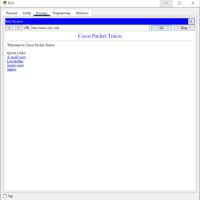
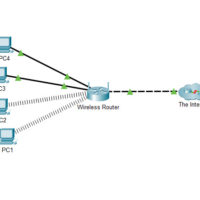
20.4.3 Packet Tracer - Troubleshoot a Wireless Connection Answers Instructions Part 1: Verify connectivity. Access the Desktop > Web Browser of each wireless PC and type www.cisco.pka into the URL. Identify any PCs/Laptop that are not connecting to the web server. Note: All the devices require time to …
20.3.6 Packet Tracer - Use the ping Command Answers Objectives Use the ping command to identify an incorrect configuration on a PC. Background / Scenario A small business owner learns that some users are unable to access a website. All PCs are configured with static IP addressing. Use …
20.3.3 Packet Tracer - Use the ipconfig Command Answers Objectives Use the ipconfig command to identify incorrect configuration on a PC. Background / Scenario A small business owner cannot connect to the internet with one of the four PCs in the office. All the PCs are configured with …