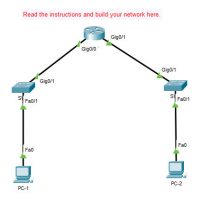
1.6.1 Packet Tracer - Implement a Small Network Answers Topology This activity requires some knowledge of how to build topologies in Packet Tracer. You may want to quickly train students on how to do the following: Select specific device models and drag devices to the work area, specifically …
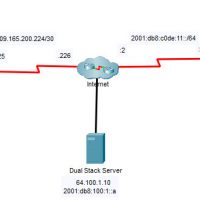
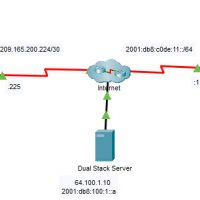
1.5.10 Packet Tracer - Verify Directly Connected Networks Answers Topology Addressing Table Device Interface IP Address / Prefix Default Gateway R1 G0/0/0 172.16.20.1/25 N/A G0/0/1 172.16.20.129/25 N/A S0/1/0 209.165.200.225/30 N/A PC1 NIC 172.16.20.10/25 172.16.20.1 PC2 NIC 172.16.20.138/25 172.16.20.129 R2 G0/0/0 2001:db8:c0de:12::1/64 N/A G0/0/1 2001:db8:c0de:13::1/64 N/A S0/1/1 2001:db8:c0de:11::1/64 N/A …
1.4.7 Packet Tracer - Configure Router Interfaces Answers Topology Addressing Table Device Interface IP Address/Prefix Default Gateway R1 G0/0 172.16.20.1 /25 N/A G0/1 172.16.20.129 /25 N/A S0/0/0 209.165.200.225 /30 N/A PC1 NIC 172.16.20.10 /25 172.16.20.1 PC2 NIC 172.16.20.138 /25 172.16.20.129 R2 G0/0 2001:db8:c0de:12::1/64 N/A G0/1 2001:db8:c0de:13::1/64 N/A S0/0/1 …
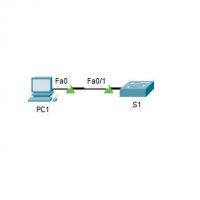
1.3.6 Packet Tracer – Configure SSH Answers Topology Addressing Table Device Interface IP Address Subnet Mask S1 VLAN 1 10.10.10.2 255.255.255.0 PC1 NIC 10.10.10.10 255.255.255.0 Objectives Part 1: Secure Passwords Part 2: Encrypt Communications Part 3: Verify SSH Implementation Background SSH should replace Telnet for management connections. Telnet …
15.0 Introduction 15.0.1 Why should I take this module? Welcome to Application Layer! As you have learned, the transport layer is where data actually gets moved from one host to another. But before that can take place, there are a lot of details that have to be determined …