Category: CCNA v7.0
10.6.12 Packet Tracer - Use TFTP and Flash to Manage Configuration Files - Physical Mode Answers Topology Addressing Table Device Interface IP Address Subnet Mask Default Gateway R1 G0/0/1 192.168.1.1 255.255.255.0 N/A S1 VLAN 1 192.168.1.11 255.255.255.0 192.168.1.1 Server1 F0 192.168.1.3 255.255.255.0 192.168.1.1 Objectives Part 1: Cable the …
5.5.2 Packet Tracer - Configure and Verify Extended IPv4 ACLs - Physical Mode Answers Topology Addressing Table Device Interface IP Address Subnet Mask Default Gateway R1 G0/0/1 N/A N/A N/A G0/0/1.20 10.20.0.1 255.255.255.0 G0/0/1.30 10.30.0.1 255.255.255.0 G0/0/1.40 10.40.0.1 255.255.255.0 G0/0/1.1000 N/A N/A G0/0/0 172.16.1.1 255.255.255.0 R2 G0/0/1 10.20.0.4 …
3.11.1 Packet Tracer - Network Security Exploration - Physical Mode Answers Objectives Part 1: Explore the Networks Part 2: Implement Security Measures Background / Scenario In this Packet Tracer Physical Mode (PTPM) activity, you will explore and implement several security procedures in different locations within the city of …
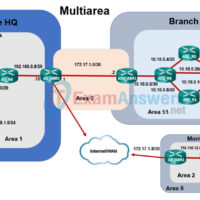
2.7.3 Packet Tracer - OSPF Multiarea Exploration - Physical Mode (Part 3) Answers Objectives Part 1: Evaluate Network Operation of Single Area OSPF Part 2: Evaluate Network Operation of Multiarea OSPF Part 3: Configure a New Area and Attach to Area 0 Through the Internet Topology Background / …
2.7.3 Packet Tracer - OSPF Multiarea Exploration - Physical Mode (Part 2) Answers Objectives Part 1: Evaluate Network Operation of Single-Area OSPF Part 2: Evaluate Network Operation of Multiarea OSPF Part 3: Configure a New Area and Attach to Area 0 Through the Internet Topology Background / Scenario …
2.7.3 Packet Tracer - Multiarea OSPF Exploration - Physical Mode (Part 1) Answers Objectives Part 1: Evaluate Network Operation of Single-Area OSPF Part 2: Evaluate Network Operation of Multiarea OSPF Part 3: Configure a New Area and Attach to Area 0 Through the Internet Topology Background / Scenario …
2.7.2 Packet Tracer - Configure Single-Area OSPFv2 - Physical Mode Answers Topology Addressing Table Device Interface IP Address Subnet Mask Default Gateway R1 G0/0/1 10.53.0.1 255.255.255.0 n/a G0/0/0 172.16.1.1 255.255.255.0 n/a R2 G0/0/1 10.53.0.2 255.255.255.0 n/a G0/0/0 192.168.1.1 255.255.255.0 n/a Web Server F0 172.16.1.10 255.255.255.0 172.16.1.1 Laptop F0 …
16.3.2 Packet Tracer - Troubleshoot IPv4 and IPv6 Static and Default Routes - Physical Mode Answers Topology Addressing Table Device Interface IP Address / Prefix Default Gateway R1 G0/0/0 192.168.0.1/28 N/A 2001:db8:acad::1/64 G0/0 192.168.0.17/28 2001:db8:acad:16::1/64 G0/1 172.16.1.1/24 2001:db8:acad:171::1/64 G0/2 209.165.200.1 /25 2001:db8:acad:209::1/64 R2 G0/0/0 192.168.0.14/28 N/A 2001:db8:acad::14/64 G0/0 …
13.5.2 Packet Tracer - Wireless Technology Exploration- Physical Mode Answers Addressing Table Device Interface IP Address Subnet Mask Default Gateway Corporate Office Corporate Router G1/0 192.168.1.1 255.255.255.0 N/A G2/0 192.168.4.1 255.255.255.252 G3/0 192.168.3.1 255.255.255.252 Corporate Server Fa0 192.168.1.10 255.255.255.0 192.168.1.1 Corporate WLC G2 192.168.1.50 255.255.255.0 192.168.1.1 LAP-C1 to …