Category: CCNA v7.0
10.6.10 Packet Tracer - Back Up Configuration Files (Instructor Version) Instructor Note: Red font color or gray highlights indicate text that appears in the instructor copy only. Objectives Part 1: Establish Connectivity to TFTP Server Part 2: Transfer the Configuration File from TFTP Server Part 3: Backup Configuration …
10.3.4 Packet Tracer - Configure and Verify NTP (Instructor Version) Instructor Note: Red font color or gray highlights indicate text that appears in the instructor copy only. Addressing Table Device Interface IP Address Subnet Mask N1 NIC 209.165.200.225 255.255.255.0 R1 G0/0 209.165.200.226 255.255.255.0 R2 G0/0 209.165.200.227 255.255.255.0 Objectives …
10.2.6 Packet Tracer - Use LLDP to Map a Network (Instructor Version) Addressing Table Device Interface IP Address Subnet Mask Local Interface and Connected Neighbor Edge G0/0 192.168.1.1 255.255.255.0 G0/1 - S1 S0/0/0 209.165.200.5 255.255.255.252 S0/0/0 - ISP S1 SVI 192.168.1.2 255.255.255.0 RBO-Edge G0/0 209.165.200.10 255.255.255.252 G0/0 - …
10.1.5 Packet Tracer - Use CDP to Map a Network (Instructor Version) Instructor Note: Red font color or gray highlights indicate text that appears in the instructor copy only. Addressing Table Device Interface IP Address Subnet Mask Local Interface and Connected Neighbor Edge1 G0/0 192.168.1.1 255.255.255.0 G0/1 - …
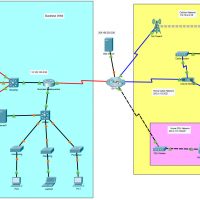
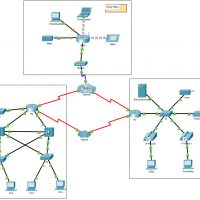
7.6.1 Packet Tracer - WAN Concepts (Instructor Version) Instructor Note: Red font color or gray highlights indicate text that appears in the instructor copy only. Objectives In this activity, you will investigate various types of WANs by exploring a topology that uses diverse connectivity technologies. Describe different WAN …
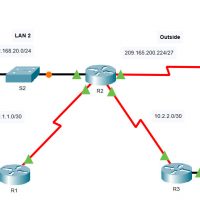
6.8.1 Packet Tracer - Configure NAT for IPv4 (Instructor Version) Instructor Note: Red font color or gray highlights indicate text that appears in the instructor copy only. Addressing Table Device Interface IP Address R1 S0/0/0 10.1.1.1/30 F0/0 192.168.10.1/24 R2 S0/0/0 10.1.1.2/30 S0/0/1 10.2.2.1/30 S0/1/0 209.165.200.225/27 F0/0 192.168.20.1/24 R3 …
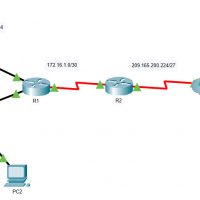
6.6.7 Packet Tracer - Configure PAT (Instructor Version) Instructor Note: Red font color or gray highlights indicate text that appears in the instructor copy only. Objectives Part 1: Configure Dynamic NAT with Overload Part 2: Verify Dynamic NAT with Overload Implementation Part 3: Configure PAT using an Interface …
6.5.6 Packet Tracer - Configure Dynamic NAT (Instructor Version) Instructor Note: Red font color or gray highlights indicate text that appears in the instructor copy only. Objectives Part 1: Configure Dynamic NAT Part 2: Verify NAT Implementation Instructions Part 1: Configure Dynamic NAT Step 1: Configure traffic that …
6.4.5 Packet Tracer - Configure Static NAT (Instructor Version) Instructor Note: Red font color or gray highlights indicate text that appears in the instructor copy only. Objectives Part 1: Test Access without NAT Part 2: Configure Static NAT Part 3: Test Access with NAT Scenario In IPv4 configured …
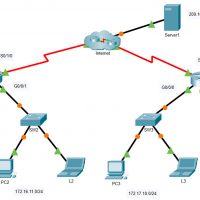
6.2.7 Packet Tracer - Investigate NAT Operations (Instructor Version) Instructor Note: Red font color or gray highlights indicate text that appears in the instructor copy only. Addressing Table The following table provides addressing for networking device interfaces only. Device Interface IP Address and Prefix R2 G0/0 10.255.255.245/30 G0/1 …