Category: CCNA v7.0
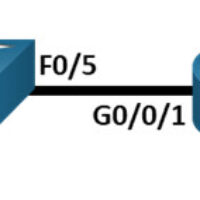
13.3.2 Lab - Use Ping and Traceroute to Test Network Connectivity Topology Addressing Table Device Interface IP Address / Prefix Default Gateway R1 G0/0/0 64.100.0.2 /30 N/A 2001:db8:acad::2 /64 fe80::2 R1 G0/0/1 192.168.1.1 /24 N/A 2001:db8:acad:1::1 /64 fe80::1 ISP G0/0/0 64.100.0.1 /30 N/A 2001:db8:acad::1 /64 fe80::1 ISP G0/0/1 …
12.9.2 Lab - Configure IPv6 Addresses on Network Devices Topology Addressing Table Device Interface IPv6 Address Prefix Length Default Gateway R1 G0/0/0 2001:db8:acad:a::1 64 N/A G0/0/1 2001:db8:acad:1::1 64 N/A S1 VLAN 1 2001:db8:acad:1::b 64 N/A PC-A NIC 2001:db8:acad:1::3 64 fe80::1 PC-B NIC 2001:db8:acad:a::3 64 fe80::1 Objectives Part 1: …
12.7.4 Lab – Identify IPv6 Addresses Topology Objectives Part 1: Practice with Different Types of IPv6 Addresses Part 2: Examine a Host IPv6 Network Interface and Address Background / Scenario With the depletion of the Internet Protocol version 4 (IPv4) network address space and the adoption and transition …
11.10.2 Lab - Design and Implement a VLSM Addressing Scheme Topology Objectives Part 1: Examine Network Requirements Part 2: Design the VLSM Address Scheme Part 3: Cable and Configure the IPv4 Network Background / Scenario Variable Length Subnet Mask (VLSM) was designed to avoid wasting IP addresses. With …
11.6.6 Lab - Calculate IPv4 Subnets Objectives Part 1: Determine IPv4 Address Subnetting Part 2: Calculate IPv4 Address Subnetting Background / Scenario The ability to work with IPv4 subnets and determine network and host information based on a given IP address and subnet mask is critical to understanding …
10.4.4 Lab - Build a Switch and Router Network Topology Addressing Table Device Interface IP Address / Prefix Default Gateway R1 G0/0/0 192.168.0.1 /24 N/A 2001:db8:acad::1/64 fe80::1 G0/0/1 192.168.1.1 /24 N/A 200:db8:acad:1::1/64 fe80::1 S1 VLAN 1 192.168.1.2 /24 192.168.1.1 PC-A NIC 192.168.1.3 /24 192.168.1.1 2001:db8:acad:1::3/64 fe80::1 PC-B NIC …
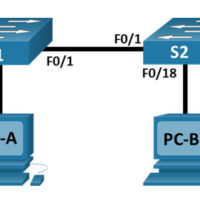
7.3.7 Lab - View the Switch MAC Address Table Topology Addressing Table Device Interface IP Address Subnet Mask S1 VLAN 1 192.168.1.11 255.255.255.0 S2 VLAN 1 192.168.1.12 255.255.255.0 PC-A NIC 192.168.1.1 255.255.255.0 PC-B NIC 192.168.1.2 255.255.255.0 Objectives Part 1: Build and Configure the Network Part 2: Examine the …
7.2.7 Lab - View Network Device MAC Addresses Topology Addressing Table Device Interface IP Address Subnet Mask Default Gateway S1 VLAN 1 192.168.1.2 255.255.255.0 N/A PC-A NIC 192.168.1.3 255.255.255.0 192.168.1.1 Objectives Part 1: Configure Devices and Verify Connectivity Part 2: Display, Describe, and Analyze Ethernet MAC Addresses Background …
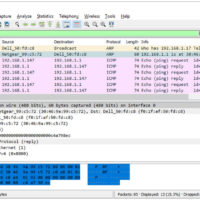
7.1.6 Lab - Use Wireshark to Examine Ethernet Frames Topology Objectives Part 1: Examine the Header Fields in an Ethernet II Frame Part 2: Use Wireshark to Capture and Analyze Ethernet Frames Background / Scenario When upper layer protocols communicate with each other, data flows down the Open …
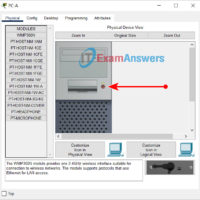
4.6.6 Lab - View Wired and Wireless NIC Information Objectives Part 1: Identify and Work with PC NICs Part 2: Identify and Use the System Tray Network Icons Background / Scenario This lab requires you to determine the availability and status of the network interface cards (NICs) on …