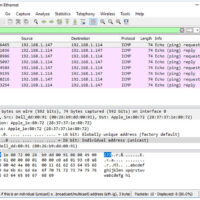
3.7.10 Lab - Use Wireshark to View Network Traffic Topology Objectives Part 1: Capture and Analyze Local ICMP Data in Wireshark Part 2: Capture and Analyze Remote ICMP Data in Wireshark Background / Scenario Wireshark is a software protocol analyzer, or "packet sniffer" application, used for network troubleshooting, …
3.7.9 Lab - Install Wireshark Objectives Download and Install Wireshark Background / Scenario Wireshark is a software protocol analyzer, or "packet sniffer" application, used for network troubleshooting, analysis, software and protocol development, and education. As data streams travel back and forth over the network, the sniffer "captures" each …
3.4.4 Lab - Research Networking Standards Objectives Research Networking Standards Organizations Reflect on Internet and Computer Networking Experiences Background / Scenario Using web search engines like Google, research the non-profit organizations that are responsible for establishing international standards for the internet and the development of internet technologies. Required …
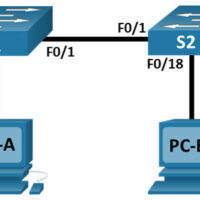
2.9.2 Lab - Basic Switch and End Device Configuration Topology Addressing Table Device Interface IP Address Subnet Mask S1 VLAN 1 192.168.1.1 255.255.255.0 S2 VLAN 1 192.168.1.2 255.255.255.0 PC-A NIC 192.168.1.10 255.255.255.0 PC-B NIC 192.168.1.11 255.255.255.0 Objectives Set Up the Network Topology Configure PC Hosts Configure and Verify …
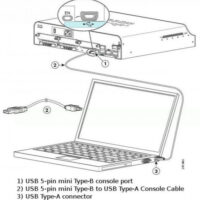
2.3.8 Lab - Navigate the IOS by Using Tera Term for Console Connectivity Topology Objectives Part 1: Access a Cisco Switch through the Serial Console Port Part 2: Display and Configure Basic Device Settings Part 3: (Optional) Access a Cisco Router Using a Mini-USB Console Cable Note: NetLab …
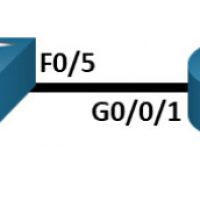
1.6.2 Lab - Configure Basic Router Settings Topology Addressing Table Device Interface IP Address / Prefix Default Gateway R1 G0/0/0 192.168.0.1 /24 N/A 2001:db8:acad::1 /64 fe80::1 G0/0/1 192.168.1.1 /24 2001:db8:acad:1::1 /64 fe80::1 Loopback0 10.0.0.1 /24 2001:db8:acad:2::1 /64 fe80::1 PC-A NIC 192.168.1.10 /24 192.168.1.1 fe80::1 NIC 2001:db8:acad:1::10 /64 PC-B …
Lab - Basic Switch Configuration Topology Addressing Table Device Interface IP Address / Prefix S1 VLAN 99 192.168.1.2 /24 2001:db8:acad::2 /64 fe80::2 PC-A NIC 192.168.1.10 /24 2001:db8:acad:3 /64 fe80::3 Objectives Part 1: Cable the Network and Verify the Default Switch Configuration Part 2: Configure Basic Network Device Settings …
16.0 Introduction 16.0.1 Why should I take this module? Welcome to Troubleshoot Static and Default Routes! Well done! You have come to the final module in the Switching, Routing, and Wireless Essentials v7.0 (SRWE) course. This course gave you the in-depth knowledge and skills you need to set …